
A Twitch streamer can have an active channel and still have no stable page for the information viewers ask for between streams. A schedule, participation rules and a link to the current broadcast often live in different places. A separate web address gives the creator one place to keep those details current. The useful question is what that page does before, during and after a stream.
Muse.fans is one example of a .fans website built around the livestream audience. Its public introduction describes a creator profile with stream links and ways for fans to participate. It names Twitch as one of the places a creator might stream. This article uses that public positioning to examine how a creator can organize a stream companion page. Individual tools and participation options depend on the setup.
Give the Twitch streamer page one primary job

Make it easy to watch now or find the next stream.
Start with a visitor who has just heard your name and wants to watch. Put the channel name and a clear route to the stream near the top. If you publish a schedule, write the time zone next to it. If schedules vary, use an update label or explain where the next stream is announced. Those details matter more than filling the page with links that compete for attention.
Muse describes a profile that can hold stream links. The naming lesson is that one shareable address can be useful even when the actual broadcast happens on another platform. The page should tell a visitor where they are going and what they can expect to see there.
A Twitch streamer who also goes live elsewhere should label the destinations separately. Use the platform name in the link text and keep the current or most important destination prominent. The reader should be able to identify which platform will open without testing several buttons. If the schedule changes for a special event, update the companion page and any dated announcement that still sends people there.
Explain participation before asking for it

Give watching and submitting separate destinations.
Viewers need different information when they want to take part. Someone who only wants to watch needs a channel link. Someone who wants to submit a question or an item needs instructions about what is accepted, when it will be reviewed and whether it may appear publicly. If an event is finished, the page should indicate that the submission window has closed.
Muse presents participation as a separate part of its livestream workflow. A Twitch streamer can apply that idea without copying the platform interface. Give the activity a clear name, place the requirements beside the action and identify where viewers can ask a question if something goes wrong. Publish only the participation options that the creator or moderation team can actually support.
Keep the instructions concise enough to scan on a phone. If the rules are lengthy, place a short summary next to the button and link to the full page. Before a stream, check that the rules, the call to action and the destination all refer to the same activity. This prevents an old event page from sending a new viewer to a closed or unrelated submission path.
Distinguish the live moment from the return visit
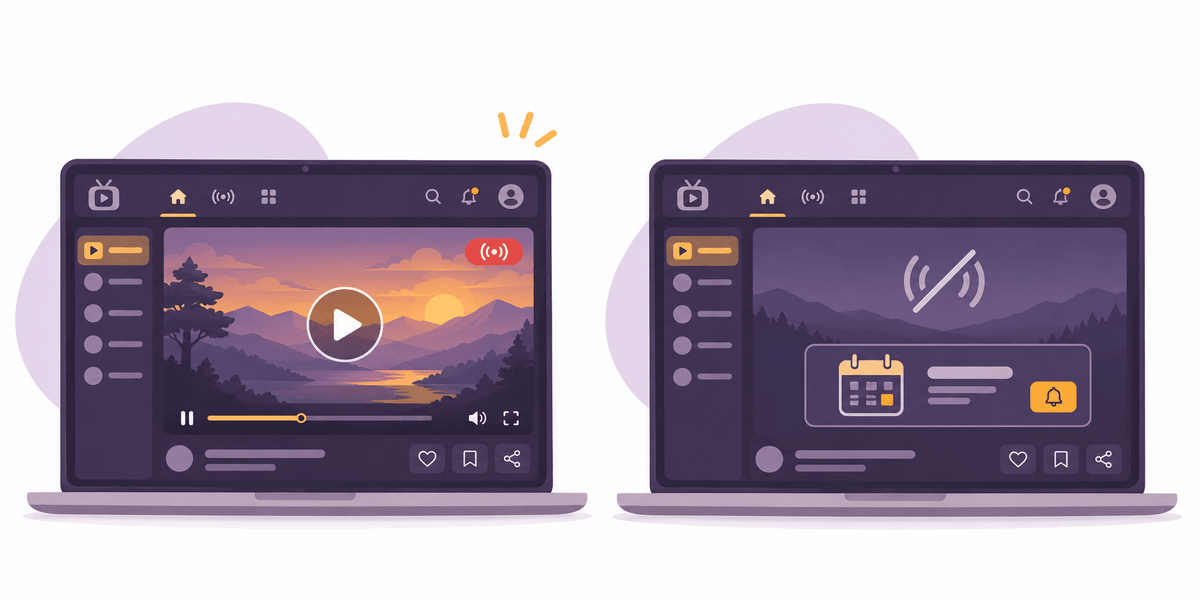
Show the next event when the channel is offline.
A Twitch streamer website should still help after a broadcast ends. Viewers may want to find the next date, replay a segment or check the result of a community activity. Decide which of those tasks belongs on the website and which is handled on the streaming platform. A Twitch streamer page labeled “Watch live” should not leave visitors guessing when there is no current stream.
One practical layout has a primary live or next-stream section and a separate group of stable links. The live section can change as events come and go. The stable links can hold the channel, general participation information and a support or contact route. If you maintain a replay list, use dates and meaningful descriptions so older links remain useful.
Ask a new viewer to find the channel and ask an existing viewer to find the next stream. Observe where they hesitate. For a Twitch streamer, a useful test is a realistic task at the point when someone would use the page. Run that test on a phone and again when the channel is offline. Fix labels or placement before adding more features.
Make the platform handoff clear
A viewer may start at the creator's address and continue to Twitch or a service that handles participation. Show that transition in the link text. If an action needs a separate account, explain the requirement before the person clicks. Give viewers an easy way to return to the creator page to find the schedule or the help link.
Keep the name, profile and public role consistent across destinations. A Twitch streamer may use the same visual identity in several places, but the website should make clear which page belongs to the creator and which is an external platform. If a link is sponsored or is part of a promotion, use the appropriate disclosure and remove the link when the promotion ends.
Muse.fans shows one way to put creator profiles and stream-related actions under a recognizable domain. A creator evaluating that approach should compare it with their own support capacity and audience needs. Verify current platform capabilities directly before describing them to viewers or assigning them a role in an event.
Use a short launch checklist
Before sharing a new website, check the channel link, the next event date, the time zone, the participation rules and the support route. Confirm that no old announcement outranks the current event in the main navigation. Have a second person open the page on a phone and tell you where they would go to watch or return later.
For a Twitch streamer building a longer-lived audience address, choose a name that can be said aloud and recognized in a stream description. Decide who will update it when a schedule changes. A stable name is most useful when visitors know what they will find each time they use it.
If you are planning a Twitch streamer website, find a registrar through .fans. Check the exact name and terms with the registrar before using the address in a campaign. Then test the page with the same links your audience will receive.