
Domain hacks use the letters or words on both sides of a dot as part of a name people can remember. Link.fans illustrates a related choice for campaign pages. Its labels read as two short words, and a path tells the browser which campaign to open. The EVAN signup at link.fans shows how a recognisable shared address and a specific destination can work together without putting the full campaign name in the registered domain.
If you’re looking for a .fans name for your own campaign, you can search available names through Cloudflare Registrar.
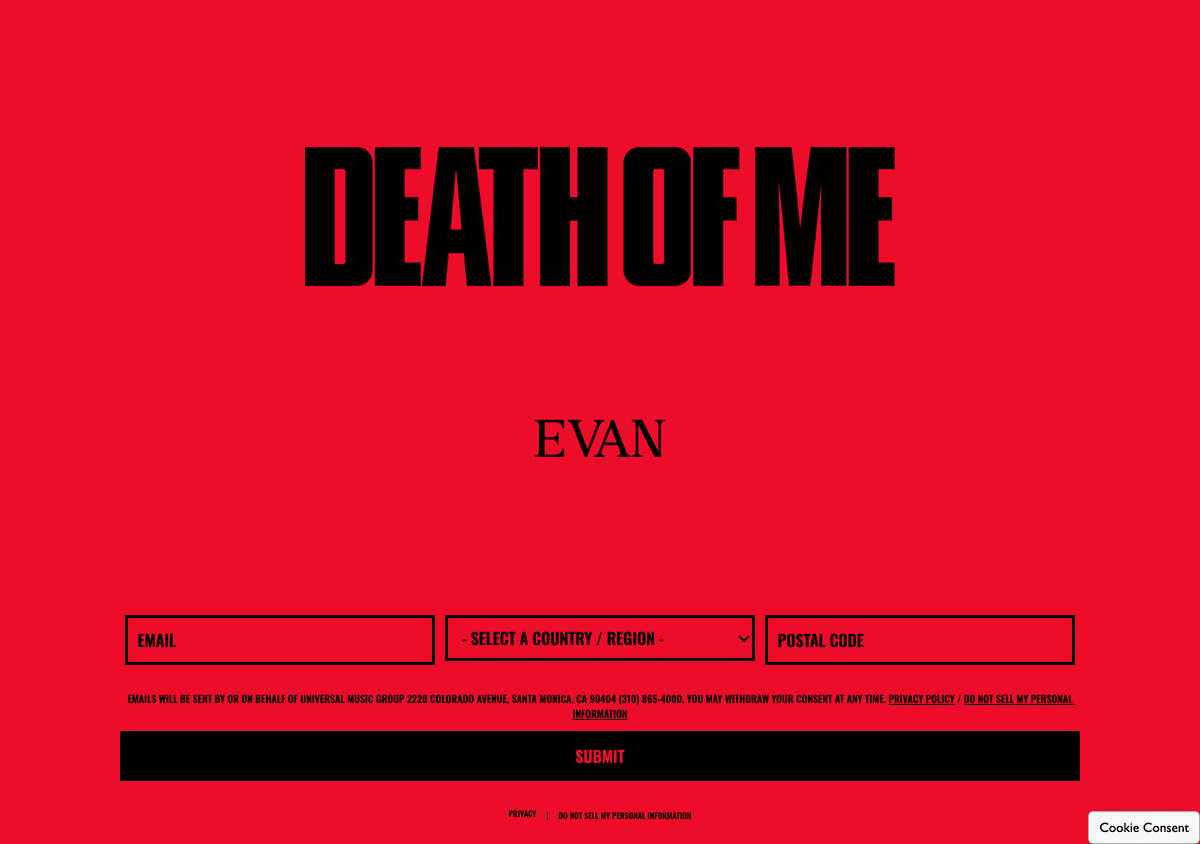
Website screenshot: https://link.fans/deathofme-signup. Captured November 18, 2026.
Read what each part of the address does
In link.fans, link is the label directly beneath the .fans top-level domain. At link.fans/deathofme-signup, the string after the slash is a path. It identifies a particular page. The word after the dot still identifies the top-level domain. See the IANA delegation record for the classification of .fans as a generic top-level domain.
Some domain hacks spell a single word across the dot. Another naming approach pairs two meaningful words that still make sense when the dot is read aloud. Link.fans is an example of the latter approach. When the page belongs to an artist campaign, the path can identify the campaign while the registered name remains short. Keep the distinction clear when you write down what people need to copy.
A short address helps only if it reaches the intended page. If a callout says to visit link.fans followed by a path, provide the complete destination as a clickable link where possible. People following a newsletter, video description or social post should receive the exact path and a label explaining what the page is for.
Follow the evidence on the actual campaign pages
The English EVAN signup page uses a Link.fans path for a named artist destination. The page identifies EVAN, displays signup fields and shows privacy information mentioning Universal Music Group. These are observations about that form and its visible disclosure. They do not define the ownership of every page on the domain or tell us how many people signed up.
A second public reference is the INI official campaign announcement. It published a different Link.fans path for an Apple Music pre-add and Spotify pre-save campaign. The linked page now shows an ended-campaign message. The two paths illustrate why a copyable address, a campaign purpose and an end-state page belong in the launch plan together.
When studying domain hacks for campaigns, examine both the source announcement and the destination. Each provides different information. One tells the audience why to visit. The other confirms whether the visitor reached the expected campaign and whether the action is still available. For this case, the signup page was viewed without entering or submitting information.

Make the path easy to share accurately
Choose a path that identifies the campaign for the reader who obtains it from someone else. A project may already have a public release name that works in the path. Choose readable words where you can and show the exact link in the original announcement. If the address is being shared verbally, give people a way to find the complete link without having to guess a spelling or separator.
Review domain hacks by reading the full address as part of the announcement. The short root name can help the address feel coherent, but the part after the slash still needs to reach the right page. Test the link as it will actually be used, including a tappable link on a phone and an address copied from any channel that displays it as text.
A team can keep one published link per campaign when that matches its needs, then use clear link labels in each context. For example, name the artist and action for a signup, or name the release and action for a pre-save. The destination should confirm those cues near the top so the reader can tell which page loaded.
Decide what should happen after the campaign
An old announcement can keep receiving visits after the offer ends. Decide what someone should see at the original address. An ended state can tell the reader why the previous action is unavailable. If the team points people to another page, choose a destination whose title and action make the change clear. Preserve the original link in the checklist so the reader’s route can be tested later.
The INI example demonstrates an ended state at a campaign-specific path. Domain hacks and memorable campaign links are useful at this stage too, because people may remember or repost the original name. Include a post-campaign check in the release plan. Use the same source page and a new browser session to verify what someone sees after the change.
Keep a short record with the campaign name, active dates if applicable, original placement, destination and owner. Give the owner the expected ended behavior as well as the launch requirement. A team can then verify that the destination remains understandable even after the original announcement is no longer the newest one.

Check the page before advertising the link
Create a test reader journey for each channel that will publish the address. Start with the link label, then check that it opens the expected hostname and path. Confirm that the first visible screen identifies the artist or campaign. If a form is present, read how the sponsor, contact or privacy information is presented. Refer questions about collection and consent to the responsible team.
For a campaign using domain hacks, include a test that catches a missing path. Ask someone unfamiliar with the launch to copy the link from a source and see where it lands. Record any source that truncates the path or shows an ambiguous label. The team can then correct that placement before assigning responsibility to the destination page.
Assign an owner to each public link
A project using domain hacks still needs a practical handoff. Ask the person who writes the announcement to record where it will appear and which link label they will use. Give the owner of the destination the exact path and the date that the announcement is due to go live. A second reader can then check the complete link before the release.
Write down the domain hacks review in the same record. Identify which characters are part of the registered name and which characters are part of the campaign path. After the announcement is public, open its link from a phone and verify the expected page. That short recheck helps a team keep domain hacks and campaign paths usable as more people share the address.
Questions about domain hacks and campaign pages
Does a campaign path count as part of the registered domain?
The registered domain and path have different roles. In link.fans/deathofme-signup, link.fans is the domain and the following string identifies the specific page. Readers need the complete link to reach the campaign directly. A domain registration decision concerns the name before the first slash.
Can one memorable domain serve several artist campaigns?
A publisher can use distinct paths for different campaigns where that fits its operating model. Give each path a clear label and owner, and test it from the artist or publisher announcement that shares it. This keeps the destination identifiable even when several campaigns use the same base domain.
How can a team check a name for its own project?
Write the full name with the desired ending. Review the .fans registry policies and use a registrar to check availability. Then plan the specific paths and who will maintain them. The proposed name should still make sense when the reader sees only the final published link.
When assessing domain hacks for a campaign, test the spoken name, the complete destination and the end-state page. Link.fans shows why a short base name and a clear path can each do distinct work in the same announcement.